In today’s competitive digital landscape, compelling visuals are essential for capturing attention and communicating brand messages effectively. Royalty-free vectors have become a valuable resource for marketers, designers, and business owners who need scalable, high-quality graphics without the complexity of licensing restrictions. Whether you’re creating social media posts, brochures, or digital ads, using the right vector assets can significantly elevate your marketing materials.
What Are Royalty-Free Vectors?
Royalty-free vectors are graphic illustrations that can be used multiple times without paying ongoing fees. Once you download or purchase them, you are typically allowed to use them across various projects, depending on the license terms. These files are usually created in formats such as AI, EPS, or SVG, making them fully scalable without losing quality. This flexibility is particularly useful for marketing materials that need to adapt across different platforms and sizes.
Why Use Vectors in Marketing?
Vectors offer several advantages over raster images. First, they are resolution-independent, meaning they can be resized for anything from business cards to billboards without becoming pixelated. Second, they are easy to customize. Designers can change colors, shapes, and text to match a brand’s identity. Lastly, vectors often have smaller file sizes compared to high-resolution images, which makes them easier to manage and faster to load in digital campaigns.
couple in the park characters vector illustration design
Incorporating vectors into your strategy also helps maintain visual consistency. By using a cohesive set of illustrations and icons, brands can build a recognizable identity that resonates with their audience.
Finding the Right Free Image Resources
There are many platforms offering royalty-free vectors, including both paid and free options. When searching for a free image, it is important to verify the licensing terms to ensure it is suitable for commercial use. Some resources may require attribution, while others allow full usage without credit.
High-quality vector libraries often categorize their assets based on themes such as business, technology, lifestyle, and marketing. This makes it easier to find visuals that align with your campaign goals. Additionally, many platforms offer curated collections, which can save time and provide inspiration for your projects.
Best Practices for Using Vectors
To maximize the impact of royalty-free vectors, it is important to follow a few best practices. First, customize the design to align with your brand colors and typography. This ensures your materials look unique rather than generic. Second, avoid overusing the same graphics across multiple campaigns, as this can reduce originality.
It is also crucial to maintain balance in your designs. While vectors are visually appealing, overcrowding your layout can overwhelm your audience. Instead, use them strategically to highlight key messages and guide viewers’ attention.
Finally, always keep your target audience in mind. Choose styles and themes that resonate with your demographic, whether it’s modern, minimalist, or playful.
Enhancing Marketing Efficiency
Using royalty-free vectors not only improves the visual quality of your materials but also enhances efficiency. With ready-made assets available at your fingertips, you can reduce design time and focus more on strategy and messaging. This is especially beneficial for small businesses and startups with limited resources.
Conclusion
Royalty-free vectors are a powerful tool for creating professional and engaging marketing materials. By leveraging high-quality assets, customizing them to your brand, and using them strategically, you can produce visuals that leave a lasting impression. Whether you rely on premium libraries or search for a reliable free image, the key is to prioritize quality, relevance, and consistency in every design you create.
Ever wondered where all those perfect images on websites and brochures come from? As someone who’s worked in digital marketing for years, I’ve spent countless hours searching through stock photo libraries for the perfect visual. Stock photos are pre-shot, professionally edited images available for licensing or purchase online.
These ready-to-use visuals save businesses time and money while providing high-quality imagery without the need for custom photoshoots. From corporate handshakes to breathtaking landscapes, stock photo collections cover virtually every subject imaginable. Whether you’re building a website, creating marketing materials, or drafting a blog post, understanding how to find and use these resources effectively can dramatically improve your content’s visual appeal.
What Are Stock Photos and Why They Matter
Stock photos are professionally captured, edited, and licensed images available for commercial and personal use. These high-quality visuals are created by photographers who sell their work through stock photography platforms, making them accessible to anyone who needs visual content.
Definition of Stock Photos
Stock photos are pre-shot images that businesses and individuals can license or buy for various projects. Unlike custom photography, stock photos are ready-made visuals created without a specific client in mind. Photographers upload these images to stock photo websites where users can search, preview, and purchase licensing rights based on their needs. The vast libraries of stock photos include virtually every subject imaginable—from business professionals in meetings to nature landscapes, food items, and abstract concepts.
The Importance of Visual Content
Visual content drives engagement across digital platforms in today’s media-saturated environment. Studies show that articles with images receive 94% more views than text-only content, and social media posts with visuals generate 650% higher engagement than text-only posts. Stock photos provide an efficient solution for businesses needing to maintain consistent visual communication. These ready-to-use images enhance website design, social media posts, blog articles, email newsletters, and marketing materials without requiring the resources needed for custom photoshoots.
Types of Stock Photo Licenses
Stock photos come with different licensing options that determine how you can use them:
Royalty-free licenses permit multiple uses of an image after a one-time payment, though they don’t transfer exclusive rights
Rights-managed licenses specify exact usage parameters including publication medium, duration, and geographic restrictions
Extended licenses allow for merchandise creation or product resale featuring the image
Editorial licenses restrict usage to non-commercial, informational purposes such as news reporting
Public domain images have no copyright restrictions and can be used freely without attribution
Understanding these license types is crucial when you buy stock photos to avoid potential copyright infringement issues in your projects.
The Evolution of Stock Photography
Stock photography has transformed dramatically over the decades, evolving from physical archives to vast digital repositories. This evolution has fundamentally changed how creators access and use visual content, making stock photos more accessible and diverse than ever before.
From Print to Digital: A Brief History
Stock photography began in the 1920s when H. Armstrong Roberts established the first stock photo agency. Early stock photos were primarily stored in physical catalogs and slide collections, requiring photographers to mail slides to potential clients. By the 1980s, stock agencies maintained extensive physical libraries of transparencies and prints that designers and publishers had to visit in person to select images. The digital revolution of the 1990s transformed the industry as CD-ROMs replaced physical catalogs, allowing photographers to distribute their work more efficiently. With the rise of the internet in the early 2000s, online stock photo platforms emerged, creating marketplaces where anyone could buy stock photos without geographical limitations. This shift democratized access to visual content and expanded opportunities for photographers to sell their work globally.
Modern Stock Photo Industry Landscape
Today’s stock photo industry is dominated by massive online platforms hosting millions of images. Major players like Shutterstock, Adobe Stock, and Getty Images offer extensive collections where users can buy stock photos on subscription plans or through individual licenses. The market has segmented into premium agencies featuring high-quality, exclusive content and microstock sites offering cheaper stock photos at volume. User-generated content has become increasingly important, with many platforms accepting submissions from amateur photographers alongside professionals. Mobile photography has also transformed the aesthetic of stock photos, moving away from overly posed corporate images toward more authentic, lifestyle-oriented visuals. The subscription model has largely replaced per-image pricing, making stock photos more affordable for small businesses and individual creators. Specialized stock photo sites have emerged focusing on specific niches like diversity, local cultures, or particular industries, filling gaps in representation that existed in traditional stock imagery.
Types of Stock Photos and Licensing Models
Stock photos come in various categories and are available through different licensing arrangements to meet diverse content needs. Understanding these types and models is essential when you’re looking to buy stock photos for your projects.
Royalty-Free vs. Rights-Managed
Royalty-free (RF) licenses offer the most flexibility when purchasing stock photos. With an RF license, I can use the image multiple times across various projects after a one-time payment, without paying additional royalties. These licenses typically don’t have time limits, making them ideal for long-term marketing materials. RF stock photos are generally more affordable and accessible, perfect for businesses with regular content needs.
Rights-managed (RM) licenses, in contrast, provide more exclusive usage rights but with specific restrictions. When I purchase an RM stock photo, I’m buying permission to use it for a particular purpose, duration, and distribution method. These licenses often include detailed terms about geographic regions, industries, and placement. RM images are typically premium content with higher quality and exclusivity, reducing the risk of seeing the same image used by competitors.
Subscription vs. On-Demand Purchasing
Subscription plans provide access to a large library of stock photos for a recurring fee. These plans are cost-effective for content creators or businesses that regularly need new images. Most subscription services offer tiered packages based on monthly download limits, with per-image costs dramatically reduced compared to individual purchases. Popular platforms like Shutterstock and Adobe Stock offer various subscription options, making it easier to find cheap stock photos without compromising quality.
On-demand purchasing allows buying stock photos individually with either credit packs or direct payment. This model works best for occasional users who need specific images or higher-quality exclusive content. While the per-image cost is higher than subscription models, on-demand purchasing eliminates ongoing financial commitments. Many platforms offer image packs that slightly reduce the per-unit cost while providing flexibility to download images as needed over time.
Each purchasing model has distinct advantages depending on your content volume needs and budget. Subscriptions deliver the best value for regular users, while on-demand options provide flexibility for occasional or specialized image requirements. Before deciding how to buy stock photos, I recommend evaluating your project scope, frequency of image use, and specific quality requirements.
Top Stock Photography Websites Compared
When looking to buy stock photos, it’s essential to evaluate the different platforms based on their image quality, pricing, and licensing terms. I’ve compared the most popular stock photo sites to help you find the right fit for your specific content needs.
Premium Platforms
Premium stock photography websites offer high-quality, exclusive stock photos with comprehensive licensing options. Adobe Stock stands out with its seamless integration with Creative Cloud applications and over 200 million assets. Their images typically cost $9.99-$49.99 per month depending on your download needs. Shutterstock, another industry leader, features over 380 million stock photos with pricing starting at $29 monthly for 10 downloads. Getty Images provides premium, often exclusive stock photos image collections with rights-managed licensing options ideal for commercial campaigns. Their pricing structure begins at $150+ per image, reflecting their emphasis on unique, high-end visual content. Alamy differentiates itself with over 215 million images and a straightforward licensing approach, with prices ranging from $19.99 to $199.99 per image based on size and usage rights.
Budget-Friendly Alternatives
For those seeking cheap stock photos without compromising quality, several affordable platforms exist. Depositphotos offers competitively priced stock photos starting at just $9.99 monthly for 30 downloads, making it excellent for small businesses. Canva Pro includes access to over 100 million stock photos within its $12.99 monthly subscription, alongside design tools. iStock (formerly iStockphoto) provides budget-friendly options starting at $12 monthly with basic subscriptions that include 10 downloads per month. For completely free options, Unsplash offers high-quality royalty-free stock photos contributed by photographers worldwide—perfect for blogs and social media content. Pexels similarly provides free stock photos with a Creative Commons Zero license, allowing use without attribution in most cases. These budget-friendly alternatives make professional stock photos accessible regardless of your financial constraints.
How to Choose the Right Stock Photos for Your Project
Selecting the perfect stock photos for your project involves careful consideration of multiple factors that go beyond just finding images that look nice. The right stock photos enhance your message, align with your brand, and connect with your target audience in ways that generic images can’t.
Quality Considerations
High-quality stock photos are essential for professional-looking projects. When evaluating stock photos, I focus on resolution first—images must be crisp and clear when viewed at their intended size. For web projects, images should be at least 1920px wide, while print materials typically require 300 DPI resolution. Lighting is another crucial factor; well-lit photos with balanced exposure create more professional results than dark or overexposed images.
Composition also matters significantly when you buy stock photos. Look for images with proper framing, a clear focal point, and thoughtful use of negative space. Avoid images that appear obviously staged or contain awkward poses. Technical aspects like noise levels, color balance, and sharpness differ noticeably between premium and cheap stock photos. While examining thumbnails, zoom in to check for artifacting, pixelation, and overall clarity before purchasing.
The versatility of an image is worth considering as well. Stock photos with neutral backgrounds or additional space for text overlays provide more flexibility for various marketing materials. I always look for images that can be cropped or modified to fit different formats while maintaining their visual impact.
Authenticity and Relevance
Authentic stock photos connect with audiences far more effectively than obviously staged images. Today’s viewers quickly identify and dismiss inauthentic visuals, making it crucial to select stock photos that feel genuine and relatable. When browsing stock photos images, look for candid moments, natural expressions, and realistic scenarios that reflect real life.
Relevance to your specific audience is equally important. Stock photos should accurately represent your target demographic in terms of age, ethnicity, gender, and lifestyle. For example, if your audience is primarily senior citizens, using images featuring only young adults will create a disconnect. I always ensure the stock photos I select portray diversity and inclusion that truly reflects contemporary society.
Context-matching is another critical factor when selecting stock photos. Images should align with your industry, topic, and message. Generic images may be technically perfect but fail to communicate your specific message. I recommend searching for photos that incorporate relevant settings, tools, or situations specific to your project’s subject matter.
Seasonal and trend relevance also matters—stock photos depicting winter scenes work poorly for summer promotions. Similarly, images with outdated fashion, technology, or design elements can make your content feel behind the times. The best stock photos convey modern, timeless quality while still feeling contemporary and relevant to current visual trends.
Common Mistakes to Avoid When Using Stock Photos
Using Generic or Cliché Images
Stock photos often fall victim to overuse, creating a disconnect with audiences who’ve seen the same images repeatedly. Those cheesy handshakes, staged team meetings, and perfect-looking models pointing at giant graphs have become visual clichés that can make your content appear unoriginal. When selecting stock photos for your project, I avoid overly posed business scenarios and opt instead for authentic-looking images that tell a genuine story. Many stock photo sites now offer curated collections that break away from these stereotypes, providing fresh alternatives to tired visual concepts.
Ignoring Licensing Terms
One of the costliest mistakes when using stock photos is misunderstanding or disregarding licensing restrictions. Each image comes with specific usage parameters that determine how, where, and for how long you can use it. I’ve seen businesses face legal consequences after using rights-managed images beyond their licensed scope or failing to provide proper attribution for images requiring it. Before you buy stock photos, carefully read the licensing agreement to confirm it covers your intended usage. Some licenses prohibit commercial use, while others restrict modifications or have time limitations that could impact your long-term marketing plans.
Choosing Low-Resolution Images
Low-resolution stock photos might appear acceptable on screen during selection but often result in pixelated, blurry reproductions when printed or displayed on high-resolution devices. I always check the minimum resolution requirements for my specific application before purchasing. For print materials, images should be at least 300 DPI at the intended print size, while web images need sufficient resolution to look sharp on retina displays and larger screens. Premium stock photo sites typically offer multiple resolution options, making it easier to select the appropriate quality for your needs.
Overlooking Cultural Relevance and Diversity
Stock photos that fail to represent diverse populations or contain culturally inappropriate elements can damage your brand’s reputation and alienate portions of your audience. I make a point to select images that authentically represent different ethnicities, ages, body types, abilities, and gender expressions. This isn’t just about avoiding offense—it’s about creating genuine connections with your entire audience. Many stock photo sites now offer specialized collections focused on inclusive imagery that better represents today’s diverse society.
Failing to Customize Stock Images
Using stock photos exactly as downloaded often results in content that looks identical to competitors who’ve purchased the same images. I always take time to customize stock photos through cropping, color adjustments, or tasteful text overlays that align with my brand aesthetic. Some stock photo licenses permit more extensive modifications, allowing you to create semi-custom visuals at a fraction of the cost of original photography. This customization helps maintain brand consistency while differentiating your content from others using the same source material.
Ignoring Image Context and Relevance
Stock photos that don’t align with your content’s message create cognitive dissonance for viewers and undermine your credibility. I’ve observed businesses using images that technically match their keywords but miss the emotional tone or contextual relevance of their message. When selecting stock photos, consider not just the subject matter but also the mood, setting, and implicit messaging of the image. The most effective stock photos enhance and clarify your written content rather than serving as mere decorative elements with tenuous thematic connections.
Tips for Using Stock Photos Effectively
Stock photos enhance visual content when used strategically. These professionally-shot images can transform your marketing materials when you apply these proven techniques.
Customization Techniques
Customization transforms generic stock photos into unique brand assets. I’ve found that adding your brand colors, applying consistent filters, or incorporating text overlays helps stock photos blend seamlessly with your visual identity. Cropping images to focus on specific elements gives you control over the narrative and visual impact. Many businesses combine multiple stock photos using layering and masking in photo editing software to create completely original compositions. Adding branded elements like logos or watermarks strengthens brand recognition across all content pieces. Even simple adjustments to brightness, contrast, and saturation can dramatically change a stock photo’s mood to better align with your message.
Proper Attribution
Proper attribution ensures legal compliance when using stock photos. When you buy stock photos from platforms like Shutterstock or Adobe Stock, check the specific attribution requirements in your license agreement as they vary between providers. Some royalty-free images require no attribution, while others mandate specific credit formats. For free stock photos from sites like Unsplash or Pexels, attribution isn’t always required but is appreciated by photographers. I recommend creating a simple system to track image sources, licenses, and attribution requirements for each stock photo in your collection. If you’re using editorial stock photos, attribution is typically mandatory and must follow strict guidelines. When in doubt, include attribution – it protects you legally and acknowledges the creator’s work.
Conclusion
Stock photos have become an essential resource for marketers looking to create visually engaging content efficiently. By understanding licensing options comparing platforms and avoiding common pitfalls you’ll be able to leverage these professional images to elevate your brand’s visual presence.
Whether you choose premium collections or budget-friendly alternatives the key lies in selecting authentic relevant images that align with your message and audience. Remember that customization is your friend – transforming stock photos with brand colors filters and text can create unique visual assets.
I’ve seen firsthand how the right stock images can dramatically boost engagement and convey professionalism. With the knowledge from this guide you’re now equipped to make informed decisions about incorporating stock photography into your marketing strategy.
Drawing has always been more than just putting pencil to paper. As an artist and art educator I’ve witnessed firsthand how this creative outlet transforms lives and enhances cognitive abilities. It’s fascinating to see how a simple sketch can unlock a world of mental and emotional benefits.
I’ve discovered that drawing isn’t just for “artistic people” – it’s a powerful tool anyone can use to boost their wellbeing and brain function. Whether you’re doodling during a meeting or creating detailed illustrations your brain is actively engaging in processes that improve memory focus and problem-solving skills. The beauty of drawing lies in its accessibility: all you need is a pencil and paper to start experiencing its remarkable advantages.
How Drawing Impacts Brain Development
Drawing activities stimulate multiple regions of the brain simultaneously, promoting neural plasticity and cognitive development. Research from Harvard Medical School reveals that regular drawing practice creates new neural pathways, enhancing overall brain function.
Enhanced Memory and Cognition
Drawing strengthens memory formation by engaging both visual and motor areas of the brain. Studies in the Journal of Neuroscience demonstrate that people who draw concepts retain 29% more information compared to those who write notes. The process activates:
Creating mental images from concepts
Converting abstract ideas into visual elements
Storing visual information in long-term memory
Processing spatial relationships between objects
Memory Retention Method
Information Retained After 1 Week
Drawing
73%
Writing Notes
44%
Reading Only
31%
Improved Hand-Eye Coordination
Enhanced fine motor skills through pencil control
Improved spatial awareness in 3D environments
Better hand-eye coordination in daily tasks
Increased precision in manual activities
Skill Development Area
Improvement After 3 Months of Regular Drawing
Fine Motor Control
42% increase
Spatial Awareness
37% increase
Hand-Eye Coordination
45% increase
Mental Health Benefits of Drawing
Drawing offers powerful therapeutic effects on mental well-being, acting as a natural stress reducer and emotional outlet. Research published in the Journal of Art Therapy demonstrates that 45 minutes of creative activity significantly lowers cortisol levels in the brain.
Stress Relief and Relaxation
Creating art through drawing activates the parasympathetic nervous system, inducing a meditative state similar to mindfulness practices. Studies from the American Art Therapy Association reveal that regular drawing sessions reduce anxiety levels by 32% after 8 weeks of practice. Drawing redirects attention from worrying thoughts to the present moment, creating a calming effect through:
Focused attention on simple line work
Rhythmic hand movements during sketching
Color selection and application processes
Systematic completion of artistic elements
Emotional Expression and Processing
Drawing provides a non-verbal outlet for processing complex emotions and experiences that might be difficult to express through words. A 2022 study in the Journal of Psychology and Behavioral Science found that individuals who engage in regular drawing activities show:
Emotional Benefits
Improvement Rate
Self-awareness
41% increase
Emotional regulation
35% improvement
Mood enhancement
28% positive change
I’ve observed these benefits manifest through:
Creating visual journals for emotional documentation
Using color symbolism to represent feelings
Drawing abstract representations of emotional states
Developing personal symbols for recurring emotions
The benefits of drawing extend beyond artistic achievement, serving as a therapeutic tool for maintaining mental equilibrium and processing emotional experiences.
Creative and Artistic Growth
Drawing unlocks creative potential by engaging both analytical and imaginative parts of the brain. Through consistent practice, I’ve observed how drawing cultivates artistic abilities while developing essential creative problem-solving skills.
Building Visual Problem-Solving Skills
Drawing strengthens visual thinking abilities through systematic observation and interpretation. Artists analyze complex forms by breaking them into basic shapes, training the brain to recognize patterns and spatial relationships. Studies from the National Art Education Association demonstrate that regular drawing practice improves compositional skills by 47% and enhances pattern recognition by 38% within six months.
Key visual problem-solving skills developed through drawing:
Analyzing shapes and proportions in physical objects
Breaking complex forms into manageable components
Recognizing negative space relationships
Translating 3D objects into 2D representations
Creating visual hierarchy through size and placement
Developing Personal Artistic Style
Personal artistic style emerges through experimentation with different techniques and mediums. Research from the Journal of Creative Behavior indicates that artists who draw regularly for 12 months develop distinctive stylistic elements in their work:
Style Development Metric
Improvement %
Line confidence
56%
Mark-making variety
43%
Composition uniqueness
39%
Technical consistency
51%
Exploring diverse drawing materials and tools
Practicing signature mark-making techniques
Developing consistent compositional approaches
Incorporating unique subject matter preferences
Establishing characteristic color palettes
Drawing as a Life Skill
Drawing equips individuals with essential life skills that extend beyond artistic expression. Through my experience as an art educator, I’ve observed how drawing develops versatile capabilities applicable in various personal and professional contexts.
Communication Through Visual Elements
Visual communication through drawing transcends language barriers, enabling clear expression of complex ideas. Studies show that professionals who incorporate sketches in presentations achieve 43% higher audience retention rates compared to text-only communications. I’ve found that basic drawing skills enhance:
Creating effective diagrams for data visualization
Sketching quick concept explanations during meetings
Mapping project workflows visually
Illustrating technical instructions
Developing clear infographics for reports
Professional Applications
Drawing skills provide competitive advantages across multiple industries. A 2023 LinkedIn industry report reveals that 67% of employers value visual thinking abilities in their workforce. Here’s how drawing applies professionally:
Industry
Drawing Application
Impact
Architecture
Technical sketching
52% faster project visualization
UX Design
Interface wireframes
38% improved user feedback
Engineering
Mechanical diagrams
45% clearer team communication
Marketing
Storyboarding
41% higher campaign engagement
Education
Visual explanations
35% better student comprehension
Rapid prototyping abilities
Design thinking processes
Project planning efficiency
Client presentation skills
Product development cycles
Teaching methodologies
Marketing content creation
Social Benefits of Drawing
Drawing creates meaningful connections between individuals through shared creative experiences. This artistic practice fosters community bonds through collaborative projects enhances cultural understanding through visual storytelling.
Building Community Through Art
Drawing brings people together in collaborative art spaces where skills knowledge sharing occurs naturally. Community art centers report a 56% increase in social engagement when hosting regular drawing sessions compared to other activities. Here’s how drawing builds community connections:
Creates inclusive environments for participants of all skill levels
Facilitates non-verbal communication between diverse groups
Generates opportunities for mentorship through skill-sharing
Develops support networks through common creative interests
Community Art Activity
Social Engagement Rate
Drawing Sessions
56%
Group Exhibitions
48%
Art Meetups
43%
Online Art Communities
38%
Cultural Expression and Understanding
Drawing serves as a universal language that transcends cultural barriers enabling deeper cross-cultural connections. Research shows that art-based cultural exchange programs achieve 62% higher participant satisfaction rates compared to traditional cultural education methods.
Preserves cultural heritage through visual documentation
Promotes appreciation of diverse artistic traditions
Bridges language gaps through visual storytelling
Documents historical events from multiple perspectives
Cultural Impact Metric
Improvement Rate
Cross-cultural Understanding
62%
Cultural Heritage Preservation
54%
Community Integration
47%
Cultural Identity Expression
45%
Drawing communities on social platforms generate 3x more cross-cultural interactions than text-based forums. Art centers report that drawing-based cultural programs attract participants from 40% more diverse backgrounds compared to other cultural activities.
Conclusion
I’m convinced that drawing stands as one of the most powerful tools for personal growth and development. Its benefits ripple through every aspect of life from boosting cognitive abilities to enhancing emotional well-being and professional success.
Starting your drawing journey doesn’t require special talent or expensive materials. With just a pencil and paper you can unlock a world of benefits that’ll transform your mind creativity and daily life.
I encourage you to pick up that pencil and start drawing today. Whether you’re doodling during meetings or sketching in a dedicated art journal you’ll soon experience the remarkable advantages of this enriching practice.
I’ve always been fascinated by the timeless appeal of vintage photographs – those beautifully aged images that tell stories through their faded colors and artistic imperfections. It’s not just about applying a sepia filter or mimicking old film effects; creating authentic retro-looking photos is an art that combines technique, creativity, and understanding of classical photography styles.
The vintage aesthetic has become increasingly popular in modern photography, with photographers seeking to capture that nostalgic atmosphere that transforms ordinary moments into timeless memories. Whether you’re shooting black and white, experimenting with film camera effects, or incorporating classic objects into your compositions, there are countless ways to achieve that coveted retro look. Let’s explore how you can master the art of vintage-style photography and create images that look like they’ve been discovered in your grandmother’s attic.
Understanding the Retro Photography Style
Retro photography encompasses specific visual elements that create an authentic vintage aesthetic. How to take retro looking photos requires understanding both the technical aspects and artistic characteristics that defined different photographic eras.
Classic Vintage Characteristics
Vintage photographs display distinct features that set them apart from modern images:
Faded colors with muted tones reminiscent of aged film
Soft focus effects creating dreamy atmospheres
Light leaks appearing as streaks of orange or pink
Film grain adding texture to the image
Vignetting darkening the corners of photographs
Color shifts toward sepia or cyan tints
Dust spots creating authentic aging effects
Popular Retro Photography Eras
Each photographic era brings unique visual signatures:
1940s-1950s
High contrast black & white images
Formal poses with minimal backgrounds
Sharp central focus with soft edges
1960s-1970s
Saturated colors with warm undertones
Square format compositions
Polaroid-style white borders
Cross-processed color effects
Point-and-shoot camera aesthetics
Date stamps in orange text
Era
Key Features
Common Effects
1940s-1950s
Monochrome
Grain, contrast
1960s-1970s
Color film
Color shifts, borders
1980s-1990s
Consumer cameras
Date stamps, flash
Essential Camera Settings for Vintage Looks
Camera settings play a crucial role in creating authentic retro-looking photos. The right combination of exposure, white balance, lens choice, and aperture settings creates the foundation for vintage-style imagery.
Working With Exposure and White Balance
Exposure settings influence the aged appearance of retro photos. Slightly overexposed images create a faded, nostalgic look while subtle underexposure adds drama reminiscent of classic film photographs. White balance adjustments between 5500K and 6500K produce warmer tones characteristic of vintage images, while cooler temperatures around 4000K mimic early color film processes.
Choosing the Right Lens and Aperture
Lens selection and aperture settings determine the distinctive vintage look of photographs. Large apertures like f/1.2, f/1.8, and f/3.5 create the soft, dreamy backgrounds common in classic portraits. Manual focus proves more effective than autofocus when shooting with wide apertures, particularly in detailed scenes. Here’s how different aperture settings affect vintage styles:
Aperture Range
Vintage Effect
f/1.2 – f/2.8
Soft, dreamy backgrounds
f/4 – f/5.6
Balanced vintage look
f/8 – f/16
Classic street photography
Focus slightly away from the subject
Use the widest aperture available on your lens
Experiment with manual focus techniques
Combine different aperture settings with various focal lengths
Creating Retro Effects While Shooting
Creating authentic retro effects starts during the photo capture process, incorporating specific techniques to achieve a vintage aesthetic without relying solely on post-processing.
Using Natural Light and Light Leaks
Natural light manipulation creates authentic vintage effects in retro-style photography. Position subjects near windows or use backlighting to create soft, diffused lighting characteristic of vintage photographs. Create light leaks by:
Holding semi-transparent red or yellow objects near the lens edge
Using colored gel filters for controlled light streaks
Placing sunglasses or translucent folders partially over the lens
Shooting during golden hour for warm, vintage-style lighting
Utilizing side lighting to enhance texture aging effects
Selecting locations with vintage architecture or period details
Using antique furniture pieces as focal points
Including era-specific vehicles or machinery
Incorporating vintage clothing styles
Choosing props with weathered textures or patinas
Photographing at historical reenactments or restored sites
Removing modern elements from frame composition
Vintage Effect
Technical Setup
Result
Light Leaks
Red/Yellow Filter + Edge Coverage
Warm color bleeds
Period Scene
f/9, ISO 500, 1/45s
Historical authenticity
Natural Aging
Window Light + Diffusion
Soft, dated appearance
Post-Processing Techniques
Post-processing transforms digital images into authentic retro photographs through strategic adjustments and creative effects. These techniques enhance the vintage aesthetic while maintaining image quality.
Color Adjustments and Toning
Split toning creates dramatic vintage effects by adding distinct colors to highlights and shadows. For highlights, a creamy yellow hue at high saturation (70-80%) produces pronounced warm tones. Shadows benefit from subtle green or blue tints at lower saturation (20-30%) to complement the image’s environment. Custom color selection offers precise control over the final look, while preset swatches provide quick vintage color combinations.
Adding Film Grain and Texture
Film grain adds authentic vintage character through controlled noise patterns. The Effect panel offers three key grain adjustments:
Amount: Controls grain intensity (25-40% for subtle effect)
Size: Determines grain particle dimensions (40-60 for classic film look)
Roughness: Adjusts grain pattern irregularity (35-50% for natural appearance)
Alternatively, shooting at elevated ISO settings (3200+) creates in-camera grain patterns that mimic vintage film stocks. This technique produces organic noise patterns that enhance the retro appearance.
Creating Vintage Vignettes
Vignetting darkens image edges to create natural borders characteristic of vintage photographs. The technique involves:
Edge Exposure: -15 to -30 for subtle darkening
Feathering: 50-70% for smooth transitions
Roundness: 40-60% for natural oval shapes
Midpoint: 35-45 for balanced vignette placement
Strategic vignetting draws attention to the subject while adding period-appropriate edge characteristics found in classic photographs.
Advanced Retro Photography Tips
Advanced retro photography techniques transform modern digital images into authentic vintage masterpieces through specialized editing methods. These methods enhance the authenticity of retro-looking photos by manipulating core image elements.
Black and White Conversion Methods
Converting color photos to black and white requires strategic adjustments to create authentic vintage aesthetics. Reducing luminance in specific color channels creates distinctive tonal ranges characteristic of classic film stocks. Adjusting individual color channels affects how different colors translate to grayscale:
Lower red channel values darken skin tones
Increased yellow channel values brighten foliage
Decreased blue channel values darken skies
Added grain at 15-20% opacity mimics silver halide film texture
Apply Gaussian blur at 2-3% strength to reduce excessive sharpness
Add lens blur to outer edges at 5-8% intensity
Create selective focus by maintaining sharpness only on key subject areas
Use radial blur at 3-5% opacity for dreamy edge effects
Apply surface blur at minimal strength to smooth skin tones while preserving texture
Blur Type
Recommended Strength
Best Application
Gaussian
2-3%
Overall softening
Lens
5-8%
Edge effects
Radial
3-5%
Dreamy borders
Surface
1-2%
Skin smoothing
Conclusion
Taking retro-style photos is both an art and a technical skill that I’ve found deeply rewarding. With the right combination of camera settings creative techniques and thoughtful post-processing you’ll be able to capture that timeless vintage charm in your images.
Remember that creating authentic retro photos isn’t just about applying filters – it’s about understanding and respecting the characteristics that made historical photography so special. I encourage you to experiment with different techniques and develop your unique vintage style.
By mastering these methods you’ll be able to transform ordinary moments into extraordinary memories that look like they’ve been pulled straight from a treasured family album.
Frequently Asked Questions
What makes a photograph look vintage?
Vintage photographs are characterized by specific visual elements including faded colors, soft focus, light leaks, film grain, and vignetting. Natural imperfections like dust spots and color shifts also contribute to the authentic retro appearance. These elements combined create that nostalgic feeling reminiscent of old photographs.
How can I achieve an authentic vintage look without filters?
Create vintage effects during the photo capture process by manipulating natural light, using window lighting or backlighting for soft diffusion. Select locations with vintage architecture, use antique props, and incorporate era-specific clothing. Manual camera settings and proper exposure techniques are more effective than relying on filters alone.
What camera settings work best for vintage-style photography?
Use slightly overexposed settings and cooler white balance to mimic early color film processes. Shoot with large apertures (f/1.8-f/2.8) to create soft, dreamy backgrounds. Manual focus techniques and varying focal lengths can enhance the retro effect. Consider shooting in black and white for a classic look.
Which eras are most popular in vintage photography?
The 1940s-1950s are known for high-contrast black and white images and formal poses, while the 1960s-1970s feature saturated colors and Polaroid-style borders. Each era has distinct characteristics that photographers can replicate through specific techniques and styling choices.
How important is post-processing for vintage photography?
While in-camera techniques are crucial, post-processing helps perfect the vintage look. Key adjustments include converting to black and white with specific tonal ranges, adjusting color channels, and applying strategic blur effects. However, post-processing should enhance rather than create the entire vintage effect.
What lighting techniques create the best vintage effect?
Position subjects near windows for soft, diffused lighting characteristic of vintage portraits. Golden hour shooting can create natural light leaks and warm tones. Using colored gel filters can simulate film effects, while backlighting helps create the dreamy atmosphere common in vintage photos.
Adobe Stock has revolutionized the way creators access high-quality images, videos, and graphics for their projects. As a versatile platform, it offers a wide array of features that can significantly enhance your workflow and creative output.
Whether you’re a seasoned designer or just starting out, understanding Adobe Stock’s capabilities can be a game-changer. From its seamless integration with Creative Cloud apps to its AI-powered search function, there’s much more to this platform than meets the eye. In this article, we’ll explore eight essential features of Adobe Stock that you should know to make the most of your creative endeavors.
Extensive Media Library
Adobe Stock boasts an impressive collection of creative assets that caters to diverse project needs. Here’s what you’ll find in their extensive media library:
High-Quality Images and Templates
Adobe Stock offers a vast selection of high-quality stock photography and professionally designed templates. You’ll have access to millions of royalty-free images, ranging from stunning landscapes to lifestyle shots and business-oriented visuals. These images are perfect for enhancing your marketing materials, website designs, or social media content. Additionally, you’ll find an array of customizable templates for various projects, including brochures, presentations, and social media posts, saving you valuable time in your design process.
Video and Audio Assets
Elevate your multimedia projects with Adobe Stock’s extensive library of video and audio assets. You’ll discover a wide range of high-definition video clips, including aerial footage, time-lapses, and b-roll content suitable for various industries. The platform also provides a diverse collection of royalty-free music tracks and sound effects to complement your video productions or enhance your podcasts and audio projects.
3D Assets
Take your designs to the next level with Adobe Stock’s growing collection of 3D assets. You’ll find a variety of 3D models, textures, and materials that can be easily integrated into your projects. These assets are particularly useful for product visualization, architectural renderings, and immersive digital experiences. With Adobe Stock’s 3D offerings, you can add depth and realism to your designs without the need for complex 3D modeling skills.
Advanced Search Capabilities
Adobe Stock’s advanced search capabilities make finding the perfect asset for your project a breeze. Let’s explore two key features that elevate your search experience:
Sophisticated Filters
Adobe Stock’s sophisticated filters help you narrow down your search results with precision. You’ll find a wide array of options to refine your queries:
Content type: Choose from photos, illustrations, vectors, videos, and more
Orientation: Select landscape, portrait, or square formats
Color: Filter by specific colors or color ranges
People: Search for images with or without people, or specify age groups and ethnicities
Copy space: Find images with room for text overlay
Depth of field: Select shallow or deep focus images
File type: Filter by file formats like JPEG, PNG, or AI
These filters work in combination, allowing you to quickly pinpoint assets that meet your exact criteria.
AI-Powered Search
Adobe Stock leverages artificial intelligence to enhance your search experience:
Visual search: Upload an image to find similar assets in Adobe Stock’s vast library
Aesthetic filters: Use AI to find images with specific moods or styles
Auto-tagging: Benefit from AI-generated tags that improve search accuracy
Similar content suggestions: Discover related assets based on your current selection
Customized results: Receive personalized recommendations based on your search history and Creative Cloud usage
By utilizing Adobe Stock’s AI-powered search, you’ll save time and uncover hidden gems that perfectly match your creative vision. These advanced capabilities ensure that you can easily find the ideal stock photography or other assets for your projects, making Adobe Stock an indispensable tool for creators.
Creative Cloud Integration
Adobe Stock’s integration with Creative Cloud apps enhances your workflow and productivity. Here’s how you can leverage this seamless connection:
Seamless Workflow
With Adobe Stock’s Creative Cloud integration, you’ll experience a smoother creative process:
Access Adobe Stock directly within your favorite Creative Cloud apps
Search for and license assets without leaving your workspace
Instantly sync licensed assets across all your Creative Cloud applications
Save time by eliminating the need to switch between platforms
Utilize Adobe Stock’s vast library of images, videos, and templates directly in your projects
In-App Editing
Adobe Stock’s integration allows for efficient in-app editing capabilities:
Preview watermarked Stock assets in your designs before purchasing
Apply edits and effects to Stock images within your Creative Cloud apps
License assets with a single click once you’re satisfied with your edits
Retain all applied edits and effects after licensing
Seamlessly replace low-resolution comps with high-resolution versions upon licensing
These features streamline your creative process, allowing you to focus on bringing your vision to life without interrupting your workflow.
Flexible Licensing Options
Adobe Stock offers versatile licensing options to suit your creative needs and budget. Let’s explore the different types of assets and purchasing methods available.
Standard vs. Premium Assets
When browsing Adobe Stock, you’ll encounter two main categories of assets: standard and premium. Standard assets are high-quality images, videos, and templates that meet most creative needs. They’re typically more affordable and available in larger quantities. Premium assets, on the other hand, are exclusive, high-end content that often includes editorial images, video footage from professional productions, and unique illustrations. These premium assets come with a higher price tag but offer exceptional quality and exclusivity for your projects.
Credit Packs and Subscriptions
Adobe Stock provides flexible purchasing options to accommodate various budgets and usage requirements. You can choose between credit packs and subscriptions:
Credit Packs: These allow you to buy a set number of credits upfront, which you can use to license individual assets as needed. Credit packs are ideal if you have sporadic stock content needs or require specific premium assets.
Subscriptions: For regular users of stock content, Adobe Stock offers monthly and annual subscription plans. These plans provide a set number of standard asset downloads per month, offering significant savings for high-volume users. Subscription options range from 10 images per month to 750 assets per month, allowing you to scale your plan based on your creative demands.
Both credit packs and subscriptions can be used across Adobe Stock’s vast library of images, videos, templates, and other creative assets. This flexibility ensures you can access the content you need, when you need it, without breaking your budget.
Free Collection
Adobe Stock’s Free Collection offers an extensive array of high-quality assets at no cost, providing a valuable resource for creators on a budget.
Millions of Royalty-Free Files
You’ll find an impressive selection of royalty-free files in Adobe Stock’s Free Collection. This treasure trove includes a diverse range of stock photography, vectors, illustrations, and templates that you can use in your projects without paying a dime. With millions of files available, you’ll have plenty of options to enhance your creative work. These free assets maintain Adobe Stock’s high standards, ensuring you get professional-quality content without compromising your budget. Whether you’re working on a personal project or looking to supplement your paid assets, the Free Collection is an excellent resource to explore and utilize.
Generative AI Content
AI-Created Assets
Adobe Stock has embraced the power of generative AI to revolutionize stock photography and digital asset creation. You’ll find an extensive collection of AI-generated images that expand your creative possibilities. These assets offer unique, customizable visuals that can be tailored to your specific project needs. With Adobe Stock’s AI-created content, you’re no longer limited to traditional stock photography options. Instead, you can access a vast array of imaginative and diverse visuals that push the boundaries of creativity. These AI-generated assets seamlessly integrate with your existing workflow, allowing you to enhance your projects with cutting-edge, royalty-free imagery that’s both original and captivating.
Contributor Program
Empowering Content Creators
Adobe Stock’s Contributor Program offers a unique opportunity for photographers, videographers, and artists to monetize their creative work. By joining this program, you’ll gain access to a global marketplace of millions of potential buyers within the Adobe ecosystem. Here’s how the program empowers content creators:
Reach a vast audience: Showcase your work to Adobe’s extensive user base, including designers, marketers, and creative professionals.
Seamless integration: Your content becomes easily accessible through Adobe’s Creative Cloud applications, increasing visibility and potential sales.
Flexible earnings: Set your own prices for your content and earn a competitive royalty rate on each sale.
Multiple content types: Submit various media formats, including photos, videos, vectors, and illustrations.
Quality control: Adobe’s curation team ensures high standards, maintaining the platform’s reputation for premium content.
Analytics and insights: Track your sales performance and gain valuable data to optimize your portfolio.
Retain copyright: You maintain ownership of your work while licensing it through Adobe Stock.
Learning resources: Access tutorials and guidelines to help improve your content creation skills and increase your chances of success.
By participating in Adobe Stock’s Contributor Program, you’ll not only monetize your creativity but also join a community of talented artists shaping the future of stock photography and digital assets.
Conclusion
Adobe Stock stands out as a powerful resource for creatives and businesses alike. With its seamless integration robust search capabilities and diverse content library it’s a go-to platform for high-quality media assets. Whether you’re a content creator looking to monetize your work or a professional seeking top-notch visuals Adobe Stock offers solutions to meet your needs. By leveraging these features you’ll enhance your creative projects streamline your workflow and tap into a world of artistic possibilities. Embrace Adobe Stock’s innovative tools and vast resources to elevate your creative endeavors and stay ahead in the dynamic digital landscape.
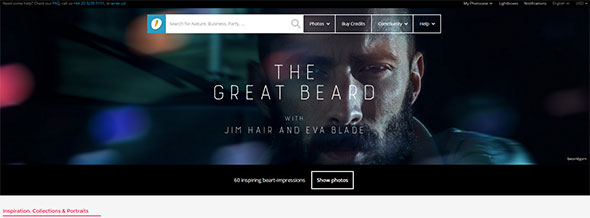
Are you tired of typical photos found in other stock photo agencies? Are you looking for more unique items to cheer up your site? The Internet has provided you with the answer – Photocase. Photocase is a Berlin-based stock photography website that caters to unique users like you. With over 300,000 highly-curated images, it offers the creative community with modern and exclusive stock files that fit any budget.
Here are some ways to help you find the image you are looking for:
Categories Photocase organizes its library to provide users with a great search experience. Whatever images you need – business, architecture, backgrounds, vintage, nature, fashion – you can easily find them using the categories in the site.
Collections You can also search for images using collections. Photocase has two unique collections: Explore and Lightbox. Explore is an interesting collection of interesting photos perfect if you need inspiration. Lightbox, on the other hand, is created and shared by users through invites.
Likes You can also find photos by checking out the photos liked by someone who liked the same photo you liked. Yes, Photocase added this feature to help you find other images you might like. After all, brilliant minds think alike. If you liked the same photo, there is a good chance you have the same preference.
Search You can do a simple search. A very common feature of stock photo websites, search allows you to browse through the library of Photocase to find that unique image to cheer up your site. It also allows you to browse through public Lightboxes and the Explore collection.
How do I buy a Photo?
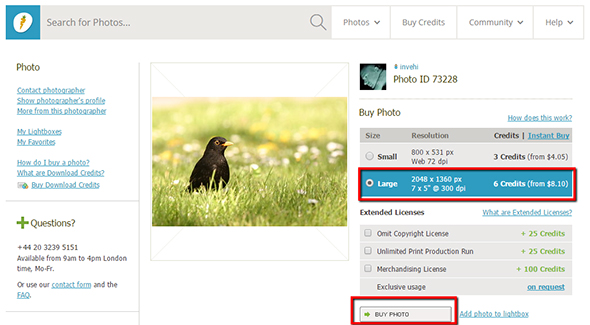
Once you find the image or images that best suit your creative needs, you have the option to instantly purchase via the Instant Buy button or set up an account to buy Credit Downloads. The former allows you to purchase the photo via your Paypal or credit, which is great for a single purchase. But if you need more than one photo, you will greatly benefit from the latter.
Great News!
Black Friday is fast approaching and everybody is looking for that sale to complete their collection. Well, the creative community also get excited for this day. Discounts are offered from website to website. They will have their eyes rolling from side to side with all the amazing promos from stock photo agencies. But, one website stands out. Photocase offers the kind of photos not available to other typical stock websites. It offers high quality and singularity images.
Experience Photocase Black Friday with amazing discounts. The website offers 3 credits + 25% discount upon registration. Coupon codes are automatically available in your account once you register to the site successfully.
The wordpress image library is vital to any wordpress website. It offers basic media management to your website and has features that is sufficient to average users. However, if you have a media-heavy website, its limitations cannot be ignored. You could struggle finding uploaded images that suit your creative needs, such as theme and style.
Un-optimized media can also cause a strain on your servers. Your site’s speed can suffer as a result of bloated media library. And if your website is slow to load, you could lose up to 7% of your customers. Fortunately, there is a plugin that can help make your life easier:
PixelRockstar With over 4 million high quality and safe to use images, Pixelrockstar gives you a lot more images to choose from. You can search and add photos to your articles and website in just a few seconds. The pics you download are yours to use forever. So, be legally safe with PixelRockstar.
Key Features:
Loaded with 4 million stock photos
Delivers stock images quick and easy
Safe to use images
Offers the best prices starting $0.57 per download
Social media shareable images
Digital License, specifically designed for digital use
PixelRockstar is the wordpress image plugin that rocks! If you want to supercharge your wordpress image library, get the plugin for free! That’s right! The plugin is free. You only have to pay for the image packs. Depending on your creative needs and budget, you can choose among Pixel, Rock and Star packages. The popular choice is the latter which comes with 350 images. If you only need a few images, the Pixel pack at $9 is perfect for you and your pockets.
The wordpress media library is suitable for average users as is. But, it may be lacking for those with media-heavy needs. PixelRockstar extends the library’s functionality and provides you with more image choices. Visit this site right here.
As presentations continue to evolve, it is always great to see presenters using the right Stockphoto images. In the same breath, it is also a shame that many still poorly choose on their visuals. In your case, it does not have to be this way. Here are 4 tips on choosing the right stock images for your creative projects:
Choose text-friendly Stockphoto images. Don’t make your presentations look like text is just slapped on to the side. Choose photos with adequate space to place your text appropriately. If you want to add text, look for images with room for text placement, preferably on the right or left side.
The more authentic, the better. Stir away from images that look unnatural, fake or posed. Cheesy and generic stock images include corporate handshakes or a person getting inspired in the middle of a field.
Consider your audience. If your target audience is corporate people, choose corporate images. If it’s hip and cool people, choose hip and cool images. Make sure your Stockphoto images reflect your own voice.
Pursue relevance. Pick relevant images. For instance, you are talking about mobile strategy. Skip the flip phone and choose images of the latest smartphones. Make sure to pay attention on fashion items, too. Technology and fashion are two of the biggest indicators of an outdated or up-to-date image.
Are you ready to start choosing your Stockphoto images? If you are in doubt on what to choose, refer to the tips above. Keep in mind that choosing the right images is critical to your brand’s success. As much as possible, you want to associate your self and your company to appropriate photos. The right ones help convey your message by making it stronger and eliminating confusion among your readers. Try out these tips and get your Stockphoto images now or visit this website here.
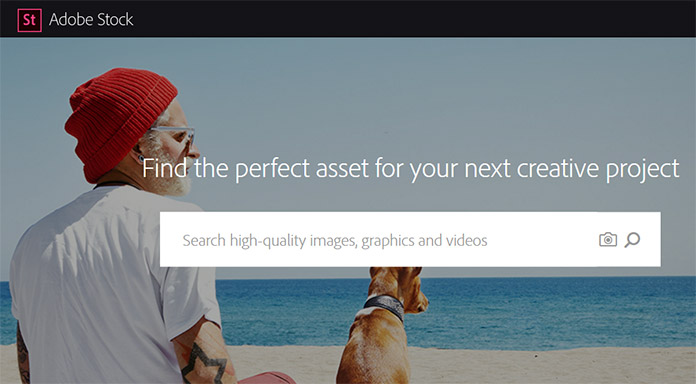
What software application are you using to edit images? If you are a Creative Cloud member, you will greatly benefit when you buy stock photography from Adobe Stock. The stock site is new to the industry, but it is already making its mark. It is great for CC users because of its integration with the software.
You can buy stock photography from Adobe Stock for the individual price of $9.99. You can also subscribe to plans that come with a Standard License. The stock site offers flexible plans in quantities of 10, 350 and 750. All provides access to over 50 million royalty-free images. There are also team and corporate plans available.
Currently, Adobe Stock offers the first month of the 10 image/month plan for free. You can download 10 images for free when you subscribe to the annual plan with up to 120 rolled over images upon renewal. The first month is cancel risk free, too. If you are not sure the stock site will suit your creative needs and budget, you can terminate the plan within the first month.
Although Adobe may be on the expensive end, it is definitely worth it. Here’s what you can do if you buy stock images from the stock media agency:
You can work with ease using your favorite Creative Cloud desktop app.
You can get access to a massive collection of high quality images from Fotolia and Dollar Photo Club.
You can search for images faster and easier with the stock site’s well organized and highly searchable library.
You can work with comp images before buying a license, saving you more money.
You can automatically license the images, too – saving you hours from reworks.
With Adobe Stock, you can find the perfect asset for your next project. Don’t forget to get your free 10 images that you can use within the next month. Just sign up to the stock site to get your free photos.
















 The wordpress image library is vital to any
  As presentations continue to evolve, it is always great to see presenters using the right Stockphoto images. In the same breath, it is also a shame that many still poorly choose on their visuals. In your case, it does not have to be this way. Here are 4 tips on choosing the right stock images for your creative projects: